

Vocab Master
v2.0.0Expand your English vocabulary effortlessly with scheduled reminder flashcards, quiz mode, and native pronunciation.
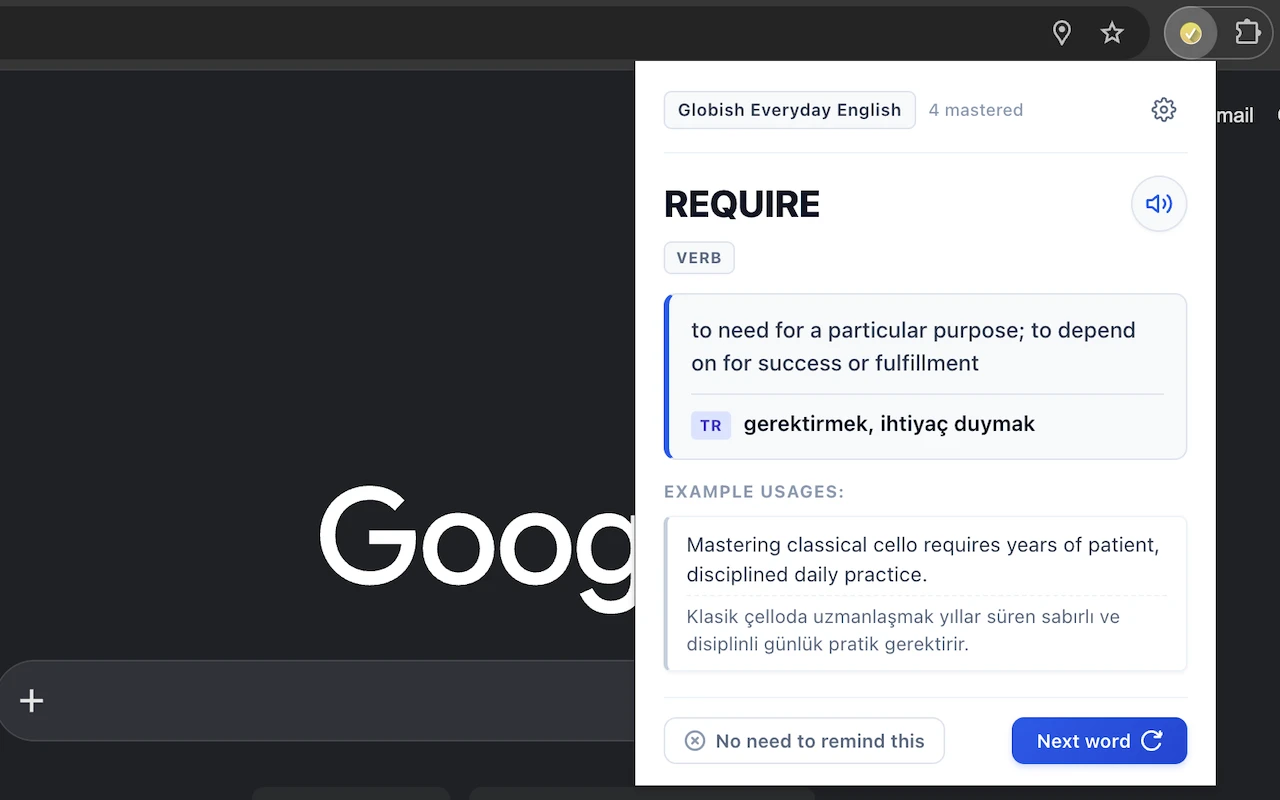
Vocab Master is an open-source Google Chrome extension designed to help you build and retain English vocabulary naturally while browsing the web. Learning new words requires continuous exposure, but switching context to study flashcards often disrupts your productive workflow. Vocab Master solves this friction with polite, periodic learning intervals: powered by Chrome's native Alarms API, it delivers interactive flashcards complete with native Text-to-Speech audio pronunciations, contextual example sentences, and part-of-speech categorization. Built with a distraction-free Smart Focus mechanism, Vocab Master never steals focus or switches desktop Spaces when you are working in your IDE or other apps. It queues silently and greets you with your study card only when you return to your browser. Featuring an active-recall Quiz Mode, optional native translations (Turkish, German, French, Spanish), curated vocabulary packs (Globish Core and GRE Advanced), per-pack mastery tracking, and JSON export/import, Vocab Master provides a complete vocabulary-building system that respects your privacy with 100% local storage.
Core Features & Capabilities
Smart Focus & Scheduled Reminders
Periodic flashcards (5 mins to 2 hours) powered by Chrome Alarms. Politely waits when you work in external apps without stealing window focus.
Active Recall Quiz Mode
Challenge your memory by keeping definitions, example sentences, and translations blurred until clicked or hovered.
Audio Pronunciation & Translations
Built-in Text-to-Speech pronunciation with optional target translations (Turkish, French, German, Spanish) or 100% English immersion.
Curated Packs & Mastery Tracking
Switch between Globish Core (2,260+ words) and GRE Advanced (990+ words). Exclude mastered words per pack with JSON export/import.
Privacy-First & Manifest V3
Zero third-party tracking, analytics, or external server dependencies. All progress and settings remain 100% local in your browser.
Keyboard Shortcuts
Fast & ErgonomicInstallation & Getting Started
Chrome Web Store
Install with a single click directly from Google's official Chrome Web Store. Updates automatically.
Install from Web StoreManual / Open Source
Clone repository, open chrome://extensions, enable Developer Mode, and click Load unpacked.