

Notify by Script
v2.0.0Create scheduled alarms and custom desktop notifications powered by your own JavaScript snippets.
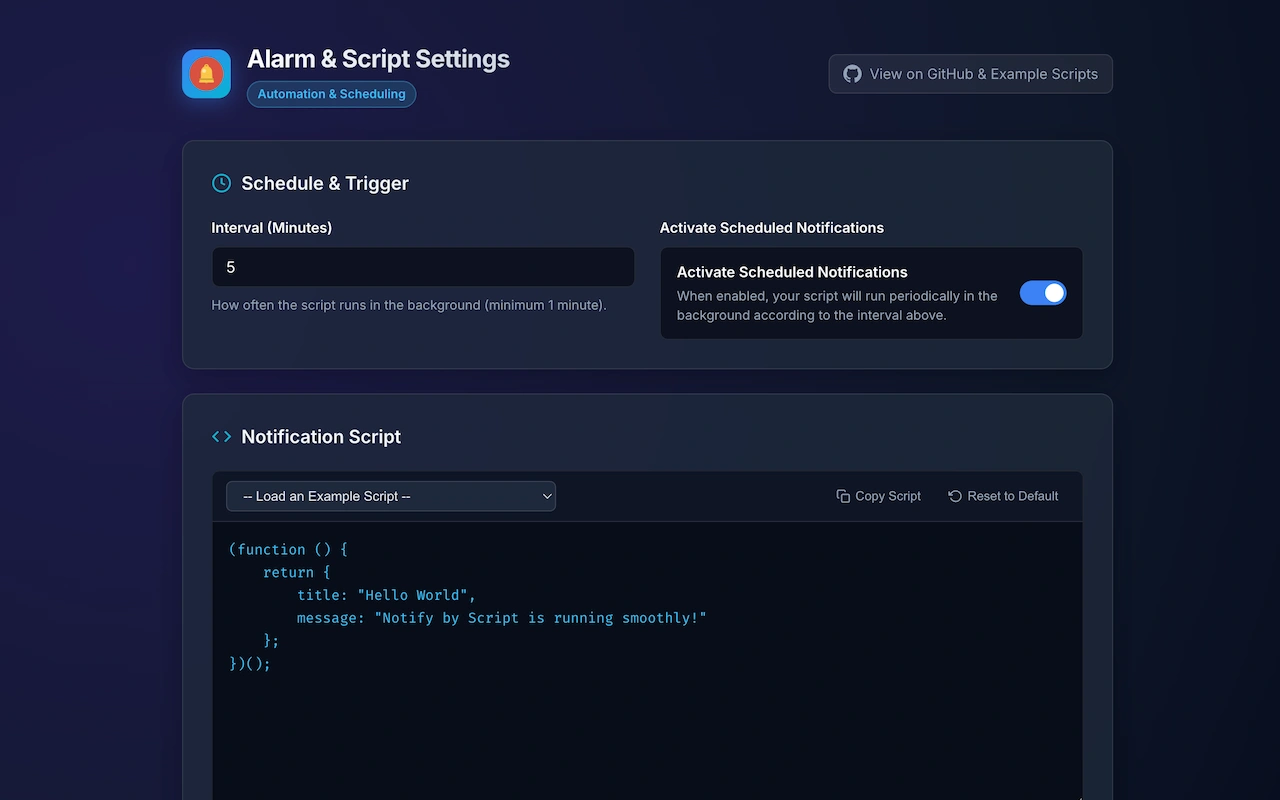
Notify by Script is a developer-friendly Google Chrome extension that lets you create scheduled background alarms and custom desktop notifications powered by your own JavaScript snippets. Whether you want to monitor your server status, track crypto or stock prices via public APIs, receive periodic hydration reminders, or conditionally alert yourself when an API endpoint returns an error, Notify by Script makes it effortless. Engineered on modern Manifest V3 standards, your custom code is executed securely inside an isolated sandbox with Offscreen API support, strictly complying with Content Security Policy (CSP) while keeping full access to fetch() for network requests. Your scripts, intervals, and states remain 100% private and stored locally in your browser with zero telemetry or third-party tracking.
Core Features & Capabilities
Custom JavaScript Engine
Write custom synchronous or async/await JavaScript functions with full fetch() support for API health checks and monitors.
Flexible Background Alarms
Schedule background evaluations from 1 minute to 24 hours using Chrome's native Alarms API with zero battery waste.
Smart Conditional Alerts
Return { title, message } to trigger native desktop notifications, or return undefined/null to silently skip when conditions are normal.
Isolated Sandbox & Privacy
Evaluated in a sandboxed iframe with strict CSP. All scripts and settings stay 100% local in your browser with zero tracking.
Keyboard Shortcuts
Fast & ErgonomicInstallation & Getting Started
Chrome Web Store
Install with a single click directly from Google's official Chrome Web Store. Updates automatically.
Install from Web StoreManual / Open Source
Clone repository, open chrome://extensions, enable Developer Mode, and click Load unpacked.